

Bugs Found in Pondlife: Relaxing Fish Game for iOS
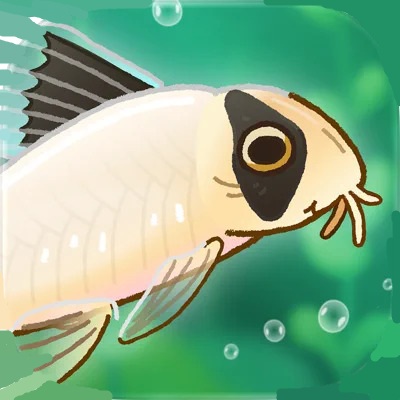


Pondlife is a beautifully designed, relaxing game that lets you nurture a small water sanctuary with fish, frogs, and other cute creatures. The gameplay allows players to fully relax and enjoy their time tending to their little pond, feeding and growing its adorable inhabitants, and unlocking new environments.
We investigated the game during a bug crawl and found it to be as solid as it is enjoyable. However, we did encounter some issues, including one that disrupts game progression. Please see our report below to learn how applying best QA practices can help the development team further improve the game’s overall quality, stability, and user experience, ensuring a smoother and more enjoyable experience for players.
User is not redirected to next level after tapping confirmation button on ‘New Level’ screen
Severity:
Critical
Precondition:
- Launch the app.
- Progress through the game until completing Level 3.
Steps to Reproduce:
- Complete Level 3 of the game.
- Wait for the ‘New Level’ screen to appear.
- Tap the confirmation button on the screen.
Environment:
OS: iOS 18.4.1
Device: iPhone 12
Actual Result:
After confirming the level completion, the user remains stuck on the ‘New Level’ screen, preventing further progression in the game. No redirection to the previous game level occurs.
Expected Result:
The user should be automatically redirected to the next game level or phase after tapping the ‘Confirmation’ button when completing a level.
User does not receive reward after tapping ‘Collect’ on ‘Task List’ screen
Severity:
Major
Precondition:
- Launch the app.
- Have a completed task available in the ‘Task List’ screen.
Steps to Reproduce:
- Open the ‘Task List’ screen.
- Locate a completed task with the ‘Collect’ button available.
- Tap the ‘Collect’ button.
Environment:
OS: iOS 18.4.1
Device: iPhone 12
Actual Result:
No reward is granted to the user after tapping the ‘Collect’ button. The reward is not added to the user’s balance or inventory.
Expected Result:
The reward should be granted to the user immediately after tapping the ‘Collect’ button.
‘Terms of Service’ link opens ‘Privacy Policy’ page instead of ‘Terms of Service’
Severity:
Major
Precondition:
No special preconditions are required.
Steps to Reproduce:
- Launch the app.
- Click on the ‘Terms of Service’ link on the ‘Start’ screen.
- Observe the result.
Environment:
OS: iOS 18.4.1
Device: iPhone 12
Actual Result:
The ‘Privacy Policy’ page opens instead of the ‘Terms of Service’ page.
Expected Result:
The ‘Terms of Service’ page should open after clicking the ‘Terms of Service’ link.
During testing, I identified a few issues ranging from major to critical severity, primarily affecting core gameplay progression and user interactions. Some of the detected problems impact key game mechanics, including reward collection and level progression, which are essential for maintaining a smooth and engaging gameplay experience. To ensure the stability and overall functionality of the app, I recommend performing comprehensive testing across different gameplay scenarios, progression stages, and device configurations.



