

Bugs Found in Tower Battle: Connect Towers for iOS
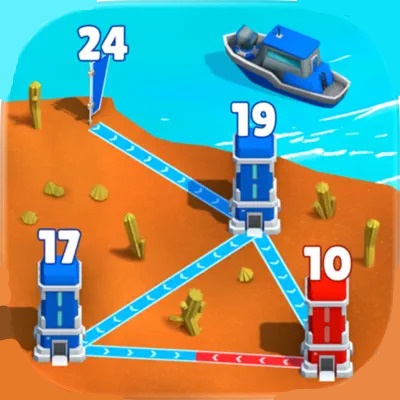


Tower Battle: Connect Towers claims to be “the ultimate casual strategy game,” and it’s definitely right about being an amazing example of the genre. The gameplay is fun, and you get dozens of features for customization and building a strategy that will take over the enemy kingdom while pushing your creativity to the limit. You’ll need to combine different types of troops, weapons, and approaches to win.
The game’s UI and controls are intuitive, and we had a great time testing it. We can also verify that the game’s performance and stability are very impressive.
However, during our in-depth bug crawl of the Tower Battle, QAwk testers identified a few bugs that could potentially impact user experience. We invite you to delve into our comprehensive report to learn more about these findings.
“Next” button remains inactive on “Reward: screen after watching rewarded advertisement
Severity:
Critical
Precondition:
No special preconditions are required.
Steps to Reproduce:
- Complete a level or action that triggers the “Reward” screen.
- Tap the button to watch a rewarded advertisement.
- Watch the advertisement until the end and close it using the provided “Close” button.
- Observe the “Reward” screen state.
Environment:
OS: iOS 18.4.1
Device: iPhone 12
Actual Result:
- The “Next” button remains inactive/disabled.
- User is unable to proceed to the next screen or level.
- App progression is blocked unless the app is restarted.
Expected Result:
After the rewarded advertisement is fully watched and closed, the “Next” button should become active, allowing the user to continue.

User is not redirected to next screen after tapping “Next” button on “Level Completion” screen
Severity:
Critical
Precondition:
No special preconditions are required.
Steps to Reproduce:
- Complete any level.
- Wait until the “Level Completion” screen appears.
- Tap the “Next” button.
Environment:
OS: iOS 18.4.1
Device: iPhone 12
Actual Result:
- No navigation occurs after tapping the “Next” button.
- User remains stuck on the “Level Completion” screen.
- The game flow is blocked, and the user cannot proceed further.
Expected Result:
User should be redirected to the next level or next screen after tapping the “Next” button.
User is unable to proceed with gameplay after skipping rewarded advertisements
Severity:
Major
Precondition:
No special preconditions are required.
Steps to Reproduce:
- Complete a level or reach a screen offering a rewarded advertisement.
- Attempt to proceed using the available UI controls (e.g., “Next” button).
Environment:
OS: iOS 18.4.1
Device: iPhone 12
Actual Result:
- User is unable to continue gameplay after skipping the rewarded ad.
- Navigation to the next level or screen does not occur.
- Game progression is blocked.
Expected Result:
User should be able to continue gameplay even if the rewarded ad is skipped, without receiving the extra reward.
During the testing process I identified three functional issues that directly impact core gameplay progression and user flow. All discovered issues are related to the level completion and rewarded ads flow. To ensure the stability and reliability of Tower Battle: Connect Towers, I recommend to conduct thorough testing of rewarded ads, callback,s and navigation logic, as well as perform regression testing to ensure the issues are fixed.



