Bugs Found in Good Pizza, Great pizza for iOS
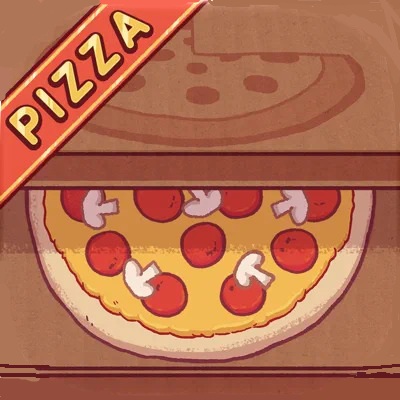


Good Pizza, Great Pizza is an engaging restaurant management game that combines pizza preparation, customer interactions, and business management mechanics. It allows players to not only cook amazing pizzas with an abundance of toppings but also experience the thrill and challenge of running their own shop. Over 80 customers with varied orders keep things interesting and diverse.
The QAwerk team really enjoyed the gameplay, and we all got hungry for pizza. The only thing that dampened the experience was the game’s connectivity issues. Take a look at our detailed report below.
Server error is displayed despite stable internet connection
Severity:
Major
Precondition:
- The device is connected to a stable internet connection, and the game is launched.
Steps to Reproduce:
- Launch the game.
- Ensure the device has a stable internet connection.
- Navigate to the game functionality that requires server communication.
- Perform the action that triggers a server request.
- Observe the application’s response.
Environment:
- OS: iOS 18.4.1
- Device: iPhone 12
Actual Result:
A server error is displayed even though the device has a stable internet connection. The application fails to complete the requested server operation.
Expected Result:
The application should successfully communicate with the server and complete the requested operation when the internet connection is stable. Server errors should only be displayed when a genuine server-side or communication failure occurs.

Network error persists after internet connectivity is restored
Severity:
Major
Precondition:
- The game is launched, and the device initially has an active internet connection.
Steps to Reproduce:
- Launch the game.
- Disable the internet connection by enabling Airplane Mode and turning off Wi-Fi.
- Return to the game.
- Perform an action that requires network connectivity.
- Restore the internet connection.
- Wait for the device to reconnect to the network successfully.
- Retry the network-dependent action.
- Observe the application’s response.
Environment:
- OS: iOS 18.4.1
- Device: iPhone 12
Actual Result:
A network error is displayed even after the internet connection has been successfully restored. The application does not correctly recognize the restored connectivity when the affected action is retried.
Expected Result:
The application should recognize the restored internet connection and let the user retry network-dependent operations without showing an outdated network error.

Pizza toppings are always rendered in a predefined layer order regardless of ingredient placement sequence
Severity:
Minor
Precondition:
- The user has access to the pizza preparation station, and sauce, cheese, and sausage toppings are unlocked.
Steps to Reproduce:
- Launch the game.
- Start a new working day.
- Accept a customer order.
- Place the pizza dough on the preparation station.
- Add sausage toppings directly onto the dough.
- Apply tomato sauce over the sausage toppings.
- Add cheese as the final ingredient.
- Observe the visual arrangement of the ingredients on the pizza.
Environment:
- OS: iOS 18.4.1
- Device: iPhone 12
Actual Result:
The ingredients display in a predefined visual order, regardless of the sequence in which they were added. Although the user places sausage first, followed by sauce and then cheese, the sausage toppings are still rendered above the other ingredients instead of appearing underneath them.
Expected Result:
The visual layering of ingredients should reflect the placement sequence, with later ingredients appearing above earlier ones, unless the game intentionally enforces a fixed visual layering order.
During testing, we identified several functional and UI issues. The most significant concerns relate to network error handling, as the application displays connectivity-related errors even when an internet connection is available.
Overall, the game provides an enjoyable experience with intuitive controls and accessible gameplay mechanics.
However, improvements to network error handling and ingredient rendering would help provide a more consistent
user experience.