

Bugs Found in FATE: Reawakened for iOS
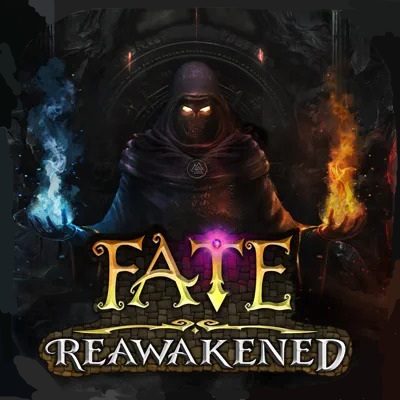


FATE: Reawakened is a beautifully designed classic dungeon crawler RPG game where players can enjoy creating and developing a hero character that faces multiple trials through procedurally generated dungeons. You can select companions to help you progress through unique levels. The hero can not only fight but also fish, catching rare gear items.
The game is captivating, offering great combat mechanics and interesting progression. The high level of replayability, due to the fact that the dungeon is always unique, boosts the player’s enjoyment.
The QAwerk team thoroughly enjoyed bug crawling this game. However, we did discover a few bugs, some serious enough to disrupt the game progression. Take a look at our detailed analysis of these issues below and see how applying best QA practices and leveraging QAwerk’s expertise can significantly improve the game’s overall quality, stability, and user experience.
User is not redirected to next screen after tapping ‘Accept’ button on ‘Hero Setup’ screen
Severity:
Critical
Precondition:
No special preconditions are required.
Steps to Reproduce:
- Launch the app.
- Start a new game, or proceed until the ‘Hero Setup’ screen appears.
- Fill in the required hero setup details if applicable.
- Tap the ‘Accept’ button.
Environment:
OS: iOS 18.4.1
Device: iPhone 12
Actual Result:
The app does not redirect the user to the next screen after tapping the ‘Accept’ button. The user is stuck on the ‘Hero Setup’ screen and cannot proceed.
Expected Result:
After tapping the ‘Accept’ button, the user should be redirected to the next screen and continue the game flow as expected.
Confirmation pop-up does not close after tapping ‘No’ button
Severity:
Major
Precondition:
No special preconditions are required.
Steps to Reproduce:
- Launch the app.
- Perform an action that triggers a confirmation pop-up with a No button.
- Tap the “No” button.
Environment:
OS: iOS 18.4.1
Device: iPhone 12
Actual Result:
The pop-up remains displayed after tapping the No button. The action to dismiss or cancel the pop-up is not executed.
Expected Result:
The pop-up should close immediately after tapping the No button, and the user should return to the previous screen or state without applying the action.
Lack of feedback when tapping ‘Restore Purchase’ button
Severity:
Major
Precondition:
No special preconditions are required.
Steps to Reproduce:
- Launch the app.
- Navigate to the ‘Purchase/Subscription’ screen where the ‘Restore Purchase’ button is located.
- Tap the ‘Restore Purchase’ button.
Environment:
OS: iOS 18.4.1
Device: iPhone 12
Actual Result:
No informative pop-ups, status messages, loaders, or confirmation screens appear after tapping the ‘Restore Purchase’ button. The user receives no feedback regarding whether the restore process has begun, completed, or failed.
Expected Result:
After tapping the ‘Restore Purchase’ button, the app should display appropriate feedback, such as a loader, a confirmation pop-up, a success message, an error message, or a screen displaying the result of the ‘restore purchase’ process.
Hero character can move through NPC models
Severity:
Major
Precondition:
No special preconditions are required.
Steps to Reproduce:
- Launch the app.
- Start gameplay and navigate to an area with an NPC present.
- Move the hero character toward the NPC.
- Continue moving the hero character into the NPC model.
Environment:
OS: iOS 18.4.1
Device: iPhone 12
Actual Result:
The hero character is able to pass through the NPC model, indicating missing or incorrect collision detection.
Expected Result:
The hero should not be able to move through the NPC model. Proper collision boundaries should prevent overlapping and preserve expected in-game behavior.
During testing, I discovered several bugs, ranging from major to critical functional issues. These problems impact key areas such as onboarding progression, user interaction with UI elements, in-app purchase flows, and core gameplay mechanics. To ensure the stability and functionality of the app, I recommend conducting comprehensive testing of onboarding and hero setup flows (critical entry points), verifying UI responsiveness and pop-up behavior, and running gameplay tests across different devices, screen sizes, and iOS versions.



