

Bugs Found in XTrem Racing for iOS
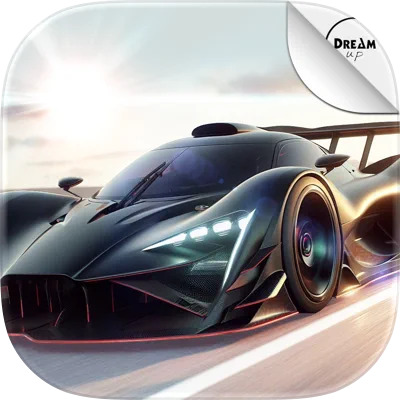


XTrem Racing is a game for everyone who loves speed and pushing vehicles to the limit, even digital vehicles. This sim is fun and engaging, offering an intuitive UI and a wide range of features that make the racing experience even more interesting. There are over 70 tracks for players to explore through several game modes (Rally, SuperCar, Monoplace).
The app boasts realistic physics and great 3D graphics. It runs quite smoothly on the device and provides an enjoyable gameplay experience.
The QAwerk team studied XTrem Racing in our recent bug crawl, and we were impressed. The game’s core functionality is sound, so players can fully enjoy their experience. However, we did discover a few bugs that pop up when the game is active. Learn what they are from our report below.
Tapping ‘Improve Your Own Lap’ button exits race selector without starting race
Severity:
Critical
Precondition:
A race with the ‘Improve Your Own Lap’ option is available.
Steps to Reproduce:
- Launch the game.
- Navigate to any available race.
- Tap the ‘Improve Your Own Lap’ button.
- Observe the result.
Environment:
OS: iOS 18.4.1
Device: iPhone 12
Actual Result:
The race selector closes; however, the race does not start.
Expected Result:
The selected race should start immediately after tapping the ‘Improve Your Own Lap’ button.
Music and sound effects continue playing when native iPhone Silent Mode is enabled
Severity:
Major
Precondition:
The game is launched, and audio is enabled.
Steps to Reproduce:
- Launch the game.
- Enable Silent Mode using the native iPhone sound toggle.
- Continue interacting with the game.
Environment:
OS: iOS 18.4.1
Device: iPhone 12
Actual Result:
Music and sound effects continue playing despite Silent Mode being enabled.
Expected Result:
The game should respect the iPhone Silent Mode setting and mute audio playback.
Sound continues playing when the app is moved to the App Switcher/background state
Severity:
Minor
Precondition:
No special preconditions are required.
Steps to Reproduce:
- Launch the game.
- Start any race.
- Swipe up and move the app to the App Switcher without fully closing it.
- Observe the game audio.
Environment:
OS: iOS 18.4.1
Device: iPhone 12
Actual Result:
The game audio continues to play even after the app is no longer actively displayed.
Expected Result:
The game audio should pause when the application loses focus or enters the background/App Switcher state.
While testing XTrem Racing, I discovered a few issues affecting audio behavior and race launch functionality. These problems may negatively impact the overall gameplay experience and user expectations regarding standard iOS behavior. To improve the product's quality, I recommend conducting additional testing focused on audio session management, application lifecycle events (foreground/background transitions), and race selection flows.



