Bugs Found in my Kore for iOS



My Kore is an app with tremendous potential. It enables users to manage their gym memberships for the whole family, book fitness classes, and set up personalized schedules. The app also allows for real-time updates and easy class check-ins.
The QAwerk team recently conducted a bug crawl of the my Kore app and would like to share our findings. The application offers several handy features to help users stay on track throughout their fitness journey. However, we discovered a few bugs that affect the usability and, most importantly, the user’s ability to upgrade their contracts. See our detailed report and recommendations below.
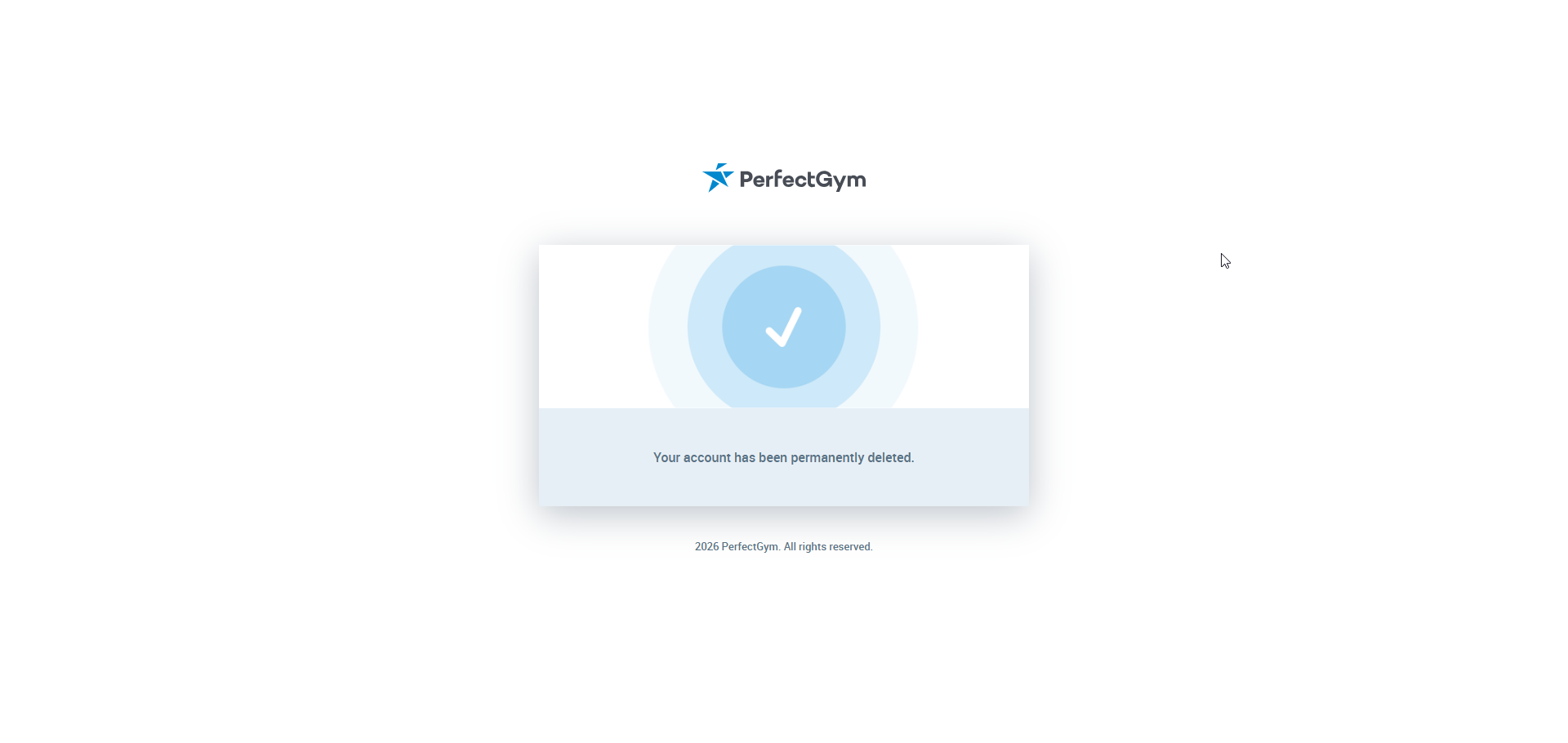
Account still exists after permanent deletion
Severity:
Critical
Precondition:
The user is logged in to the app.
Steps to Reproduce:
- Navigate to the ‘Profile’ screen.
- Tap the ‘Remove mobile app account’ button.
- Tap the ‘Delete account’ button in the confirmation message.
- Confirm the account deletion using the link.
- Try to log into the deleted account once the ‘Sign Up’ screen appears.
- Observe the result.
Environment:
iPhone Pro Max
iOS 26.5
Actual Result:
The user can log into the supposedly deleted account.
Expected Result:
The user should not be able to log back into the account once it has been permanently deleted.
‘Buy membership’ feature fails to work
Severity:
Major
Precondition:
The user is logged in to the app.
Steps to Reproduce:
- Navigate to the ‘Dashboard’ screen.
- Tap the ‘Memberships’ button.
- Tap the ‘Buy membership’ button.
- Observe the result.
Environment:
iPhone Pro Max
iOS 26.5
Actual Result:
The message ‘Cannot upgrade contract at this moment’ is displayed.
After the ‘Cannot upgrade contract at this moment’ message closes, the ‘Buy Membership’ button stops functioning.
Expected Result:
The user should be able to successfully purchase a membership.
‘Something went wrong’ message appears while user tries to upgrade contract
Severity:
Major
Precondition:
The user is logged in to the app.
Steps to Reproduce:
- Navigate to the ‘Dashboard’ screen.
- Tap the ‘Courses’ button.
- Select any group.
- Tap the ‘Enroll Now’ button.
- Tap the ‘Add new family…’ button.
- Tap the ‘Upgrade contract’ button at the top of the screen.
- Tap the ‘Buy in current club’ button.
- Select a payment plan and date.
- Tap the ‘Next’ button on the ‘From now on, your contract will look like this’ screen.
- Observe the result.
Environment:
iPhone Pro Max
iOS 26.5
Actual Result:
The ‘Something went wrong’ message is displayed while the user tries to upgrade the contract.
Expected Result:
The user should be able to upgrade the contract without encountering any issues.
‘Ups.. Something went wrong’ message appears after user attempts to create account without agreeing to ‘Terms and Conditions’
Severity:
Major
Precondition:
- The user is logged out.
- The app was launched.
Steps to Reproduce:
- Tap the ‘Join’ button.
- Select a center and tap the ‘Next’ button.
- Select the sign-up option and tap the ‘Next’ button.
- Fill in the ‘Edit Profile’ form with valid data.
- Do not switch the toggle in the ‘Health Commitment Statement’ section.
- Tap the ‘Create account’ button a few times.
- Observe the result.
Environment:
iPhone Pro Max
iOS 26.5
Actual Result:
The ‘Ups.. Something went wrong’ message is displayed after the user tries to create an account without accepting the ‘Terms and Conditions’.
Expected Result:
The user should remain on the ‘Edit Profile’ form until they have agreed to the ‘Terms and Conditions’.
Screen goes blank after changing localization in language dropdown menu
Severity:
Minor
Precondition:
- The user is logged out.
- The app was launched.
Steps to Reproduce:
- Tap the ‘Join’ button.
- Choose a center and tap the ‘Next’ button.
- Choose the sign-up option and tap the ‘Next’ button.
- Scroll down to the language dropdown menu.
- Change the current localization.
- Observe the result.
Environment:
iPhone Pro Max
iOS 26.5
Actual Result:
The screen goes blank after changing the localization in the language dropdown menu.
Expected Result:
The ‘Edit Profile’ screen should appear.
‘Password’ field layout breaks down after entering weak password
Severity:
Minor
Precondition:
- The user is logged out.
- The app was launched.
Steps to Reproduce:
- Tap the ‘Join’ button.
- Choose a center and tap the ‘Next’ button.
- Choose the sign-up option and tap the ‘Next’ button.
- Enter a weak password in the ‘Password’ field.
- Tap the ‘Nex’t button.
- Observe the result.
Environment:
iPhone Pro Max
iOS 26.5
Actual Result:
The ‘Password’ field layout breaks down after entering a weak password.
Expected Result:
The ‘Password’ field’s layout should remain unchanged, regardless of password strength.
‘English’ localization is displayed after selecting ‘Malay’ localization option
Severity:
Minor
Precondition:
- The user is logged out.
- The app was launched.
Steps to Reproduce:
- Tap the ‘Join’ button.
- Scroll down to the language dropdown menu.
- Select the ‘Malay’ localization option.
- Observe that the ‘English’ localization is displayed instead.
Environment:
iPhone Pro Max
iOS 26.5
Actual Result:
‘English’ localization is displayed, even though ‘Malay’ localization was selected.
Expected Result:
When the ‘Malay’ localization is selected, the corresponding ‘Malay’ localization should be displayed.
‘We’re sorry. There are no available facilities for current filters…’ message is displayed after tapping ‘Facility Booking’ button
Severity:
Minor
Precondition:
- The user is logged in to the app.
- The user has selected the ‘Tripton Sports Academy’ club.
Steps to Reproduce:
- Navigate to the ‘Dashboard’ screen.
- Tap the ‘Facility Booking’ button.
- Observe the result.
Environment:
iPhone Pro Max
iOS 26.5
Actual Result:
The ‘We’re sorry. There are no available facilities for current filters…’ message is displayed after tapping the ‘Facility Booking’ button.
Expected Result:
After tapping the ‘Facility Booking’ button, the ‘Book a facility in Tripton Sports Academy’ screen should be displayed.
‘Add new family…’ button is not fully visible during enrollment
Severity:
Minor
Precondition:
The user is logged in to the app.
Steps to Reproduce:
- Navigate to the ‘Dashboard’ screen.
- Tap the ‘Courses’ button.
- Select any group.
- Tap the ‘Enroll Now’ button.
- Observe the ‘Add new family…’ button on the newly opened screen.
Environment:
iPhone Pro Max
iOS 26.5
Actual Result:
The ‘Add new family…’ button is not fully visible during the enrollment flow.
Expected Result:
The ‘Add New Family…’ button should be fully visible on the screen.

Despite instructions, ‘Gender’ and ‘Date of Birth’ can be updated on app
Severity:
Minor
Precondition:
The user is logged in to the app.
Steps to Reproduce:
- Navigate to the ‘Profile’ section.
- Select the ‘User Name’ option.
- Try to update the ‘Gender’ and ‘Date of Birth’ fields.
Environment:
iPhone Pro Max
iOS 26.5
Actual Result:
Despite displaying a message instructing users to visit the club or use the ‘Client Portal’ to update their phone number, gender, or date of birth, changes to ‘Gender’ and ‘Date of Birth’ can be made in the app itself.
Expected Result:
Users should be unable to update their ‘Gender’ and ‘Date of Birth’ within the app.
‘Change club’ button needs to be tapped twice to display list of clubs
Severity:
Trivial
Precondition:
The user is logged in to the app.
Steps to Reproduce:
- Navigate to the ‘Dashboard’ screen.
- Tap the ‘Courses’ button.
- Tap the ‘Change Club’ button.
- Observe the result.
Environment:
iPhone Pro Max
iOS 26.5
Actual Result:
The dropdown displaying the list of clubs does not appear after tapping the ‘Change club’ button once. The dropdown shows the list of clubs only after tapping the ‘Change Club’ button twice.
Expected Result:
The dropdown with the list of clubs should be displayed immediately after tapping the ‘Change Club’ button.
Issue with upgrading panel overlapping screen content
Severity:
Trivial
Precondition:
The user is logged in to the app.
Steps to Reproduce:
- Navigate to the ‘Dashboard’ screen.
- Tap the ‘Courses’ button.
- Select any group.
- Tap the ‘Enroll Now’ button.
- Tap the ‘Add new family…’ button.
- Observe the ‘Upgrade Contract’ button behavior while scrolling up and down the upgrade panel.
Environment:
iPhone Pro Max
iOS 26.5
Actual Result:
The ‘Upgrade Contract’ button overlaps the screen content when scrolling up and down the upgrade panel.
Expected Result:
All screen contents should be clearly visible, and no overlap with the upgrading panel should occur.
The app offers extensive features, but testing uncovered issues with navigation and UI, as well as problems with membership payments and contract updates. I recommend running comprehensive functional and UI testing to identify all bugs and address them effectively, allowing the app to realize its full potential.